

Infrastructure, Security, ISO 27001 on the horizon
This release focuses on an enhanced authentication module, strengthening security while laying the foundation for a clearer separation of administrative functions
The work is also part of our preparations for ISO 27001 certification. As part of this process, we have taken a deeper look at the security of our software, including authentication, code security, key management, and related areas. This release puts many of these findings into practice and brings Coreon to a solid ISO 27001-ready foundation from a software perspective.
Enhanced security
Non-SSO Users who authenticate directly with Coreon can now benefit from Passkeys and Two-Factor Authentication (2FA), providing additional layers of security beyond the traditional password-based login.
Note: Users accessing repositories via desktop plugins (such as for Trados Studio, memoq, or Coreon’s chrome extension) should not yet activate passkey nor 2FA. This requires an update to the plugins (work in progress).
Insights into recent Sign In activities inform about potentially suspect authentication attempts.
API Keys: The value can only be “read” immediately upon creation. Afterwards the key’s value has to remain hidden.
User Management part of authentication
We have also taken the first step towards a cleaner separation of administration. User management and profile is now part of the Authentication module, bringing authentication- and user-related settings together.
Appearance and accessibility
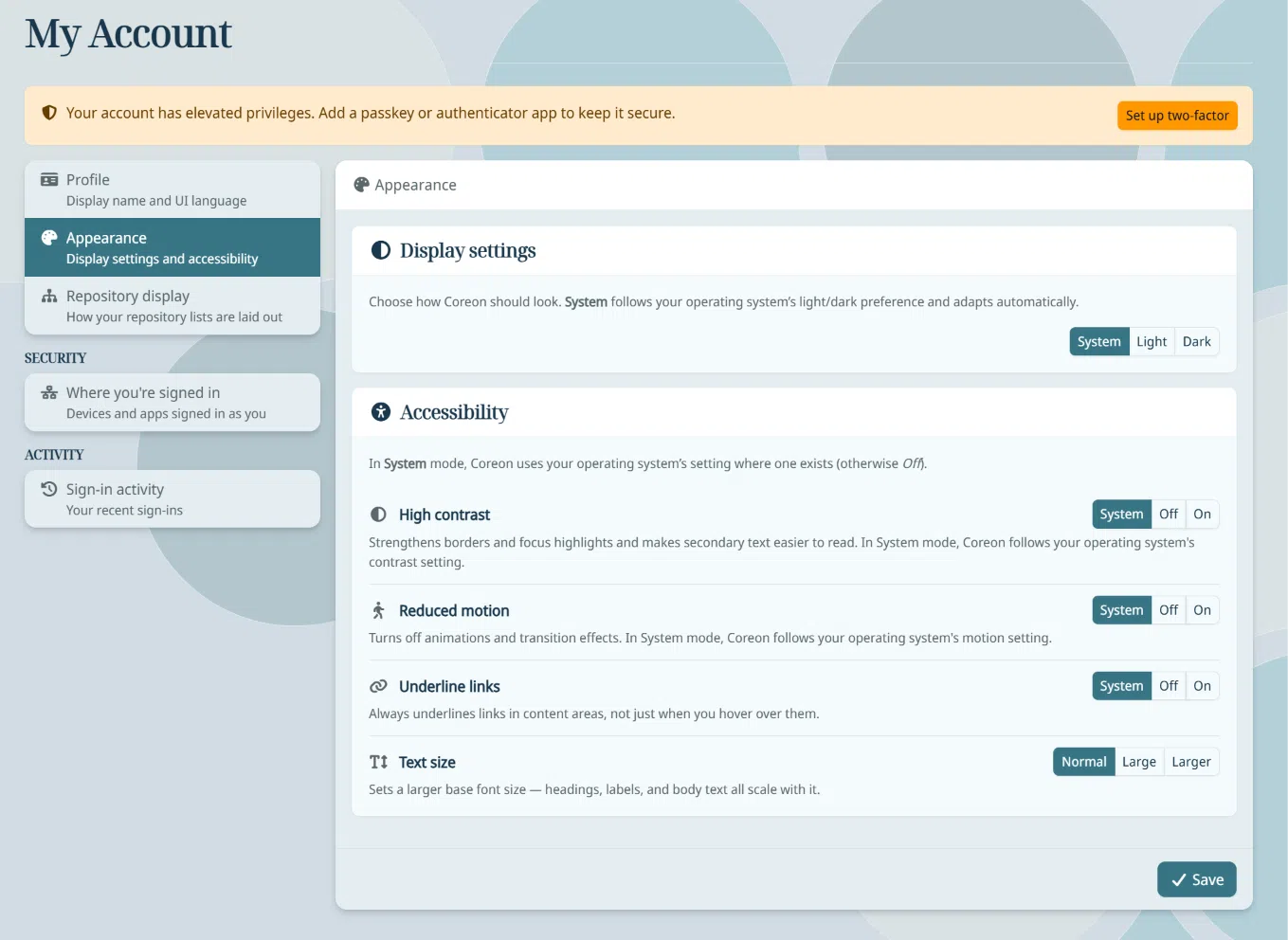
The My Account pages respect accessibility requirements such as Light/dark mode, High contrast, Text size . By default these configurations are all set to “System” setting, i.e. they automatically follow your browser / operating system settings.
Note: For now only for the Account administrator pages, but will also come to the new Coreon 2 UI.
Reworked UI for repository selection
The repository selection now either renders as tiles (like before) or – if you have access to many repositories – as a list.
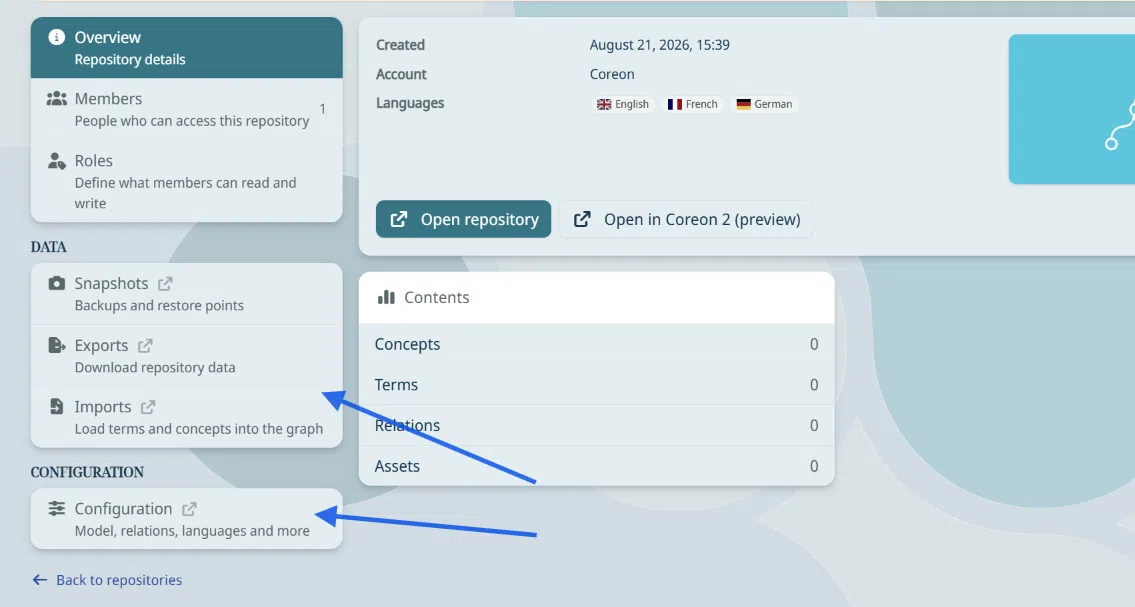
For now, repository configuration and data management – including bulk operations such as Import and Export – remain in the dashboard.
These activities are an intermediate step towards a more focused administration experience: repository configuration will have its own dedicated area, while Import and Export will move closer to the user-facing modules where these operations are used.
With this release, we are therefore not only enhancing authentication security, but also establishing the foundation for a more intuitive, modular, and security-conscious administration experience in Coreon.
